
Accounts
Applies To: Essentials ✅ | Growth ✅ | Pro ✅

Overview
The Account object serves as the anchor record for all customer and prospect organisations in the Sales Hub Accelerator. It consolidates activity, contact, and opportunity data into a single customer view. Accelify has enhanced the Account layout with strategic indicators, health scoring, visual icons, and extensibility to support upsell, service, and retention workflows.
Used By: Account Managers, Sales Reps, CSMs, RevOps
Primary Purpose: Centralise customer data, manage account health, and align cross-object relationships (Contacts, Opportunities, Cases)
Guided Walkthrough
https://www.loom.com/share/f423f89ec373470ebf34a5f6bad9b469Account Page Highlights
The Account Record Page is optimised for strategic visibility, health tracking, and quick prioritisation. Users can assess whether an account is at risk, which contacts are involved, and what opportunities are open, all at a glance.
Account Highlight Panel
Key fields and indicators shown in the highlight panel:
Account Health Status: A visual picklist (e.g. Healthy ✅ / At Risk ⚠ / Critical 🚨) used to monitor customer engagement and stability.
Strategic Account Flag: Checkbox indicating whether this account is considered strategic or high-value.
Active Opportunities Count: Auto-calculated formula showing the number of open Opportunities.
Contact Coverage Score: Optional logic indicating if all key roles (Decision Maker, Champion, User) are filled.
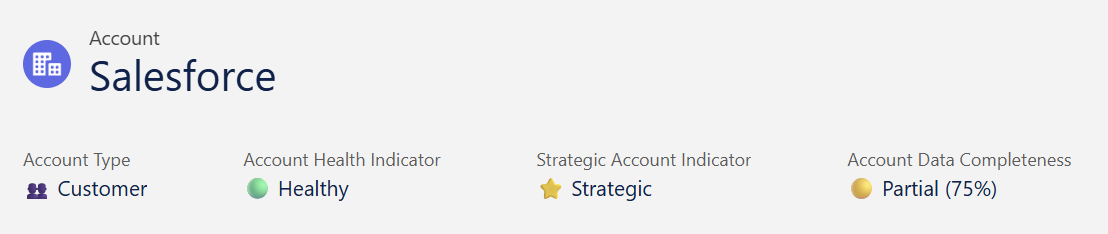
This panel gives immediate context on the health, importance, and momentum of the account — ideal for AMs and managers reviewing pipelines or preparing for meetings.
Account Management & Profiling
This section surfaces essential firmographic and strategic details that help teams segment accounts, prioritise engagement, and align internal account planning.
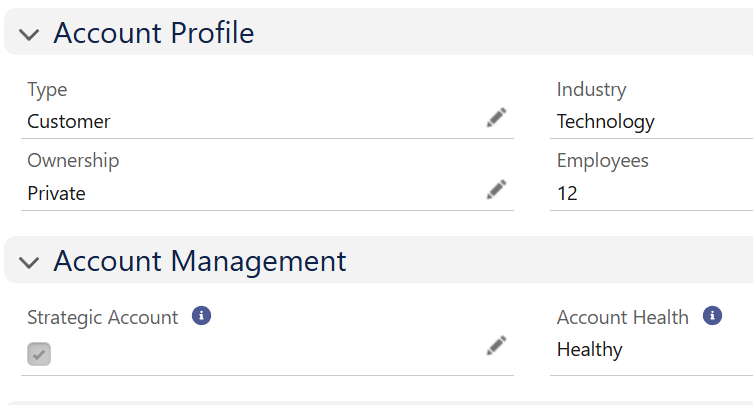
It includes account classification (Type), ownership structure, industry vertical, employee size, and strategic status. These fields are critical to shaping list views, pipeline filtering, and quarterly planning reviews.
CRM Tab
The CRM Tab provides users with a consolidated view of all activities, contacts, and opportunities tied to the account. It acts as a central dashboard for relationship management and pipeline progression.
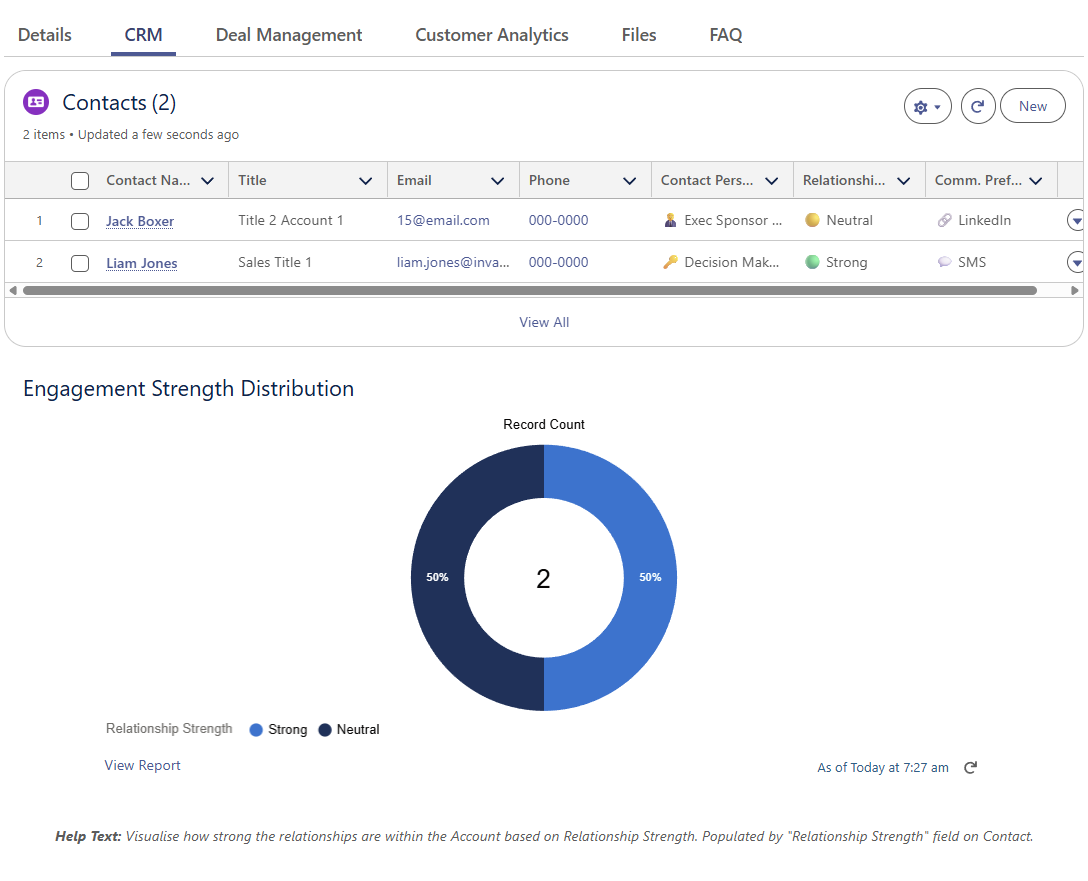
Users can review historical engagement, see which contacts are active, and quickly access deal history. This tab ensures the account owner has full visibility into cross-functional touchpoints without needing to switch records.
Deal Management Tab
The Deal Management tab shows all current and historical opportunities associated with the account. It allows users to track deal stage, value, close dates, and conversion trends.
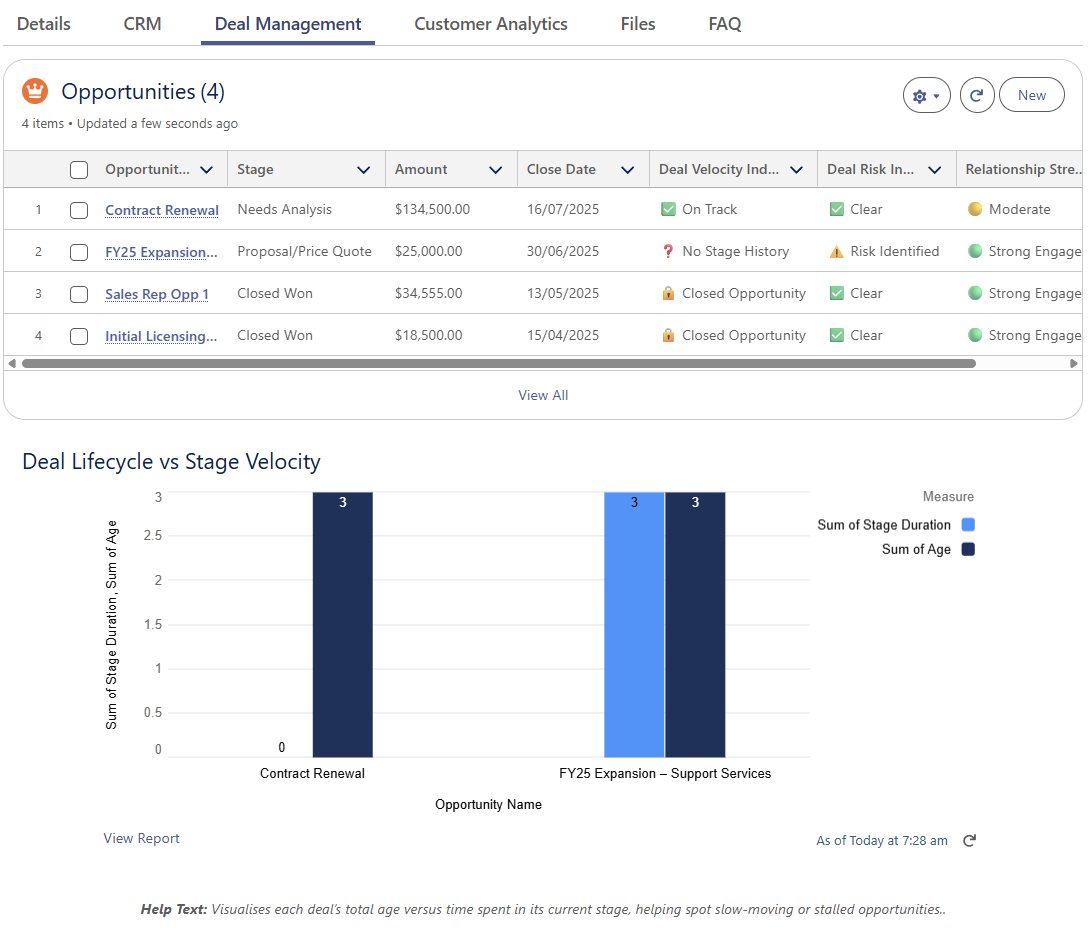
Designed to support forecasting and renewal conversations, this view keeps account reps focused on driving value from pipeline to close.
Customer Analytics Tab
This tab displays account-level metrics and behavioural insights to help teams assess engagement, risk, and expansion potential. It supports data-driven account planning and proactive risk mitigation.
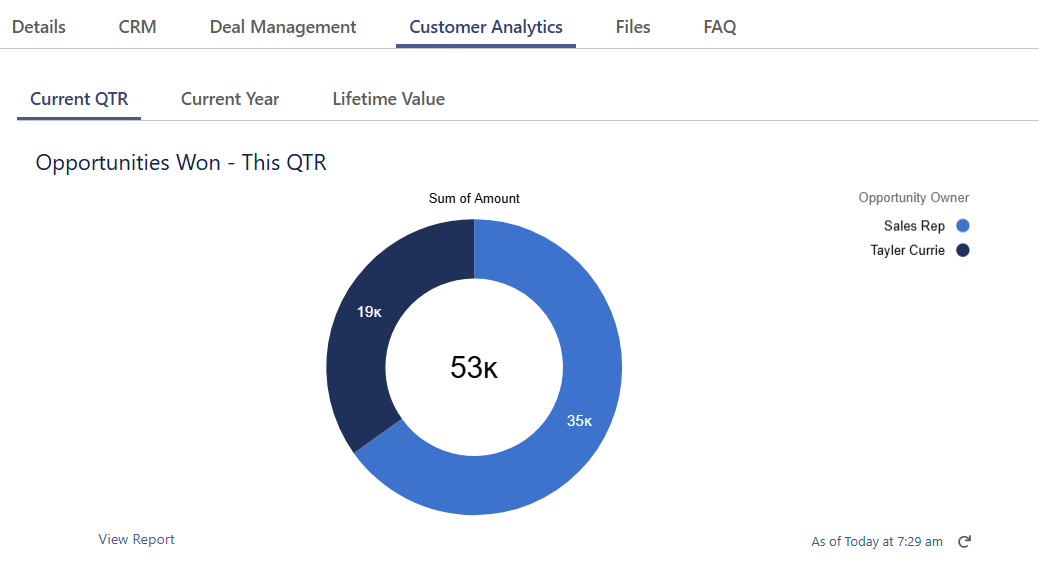
Metrics such as time since last activity, product usage (if integrated), or prior ticket volumes may be shown here depending on configuration.
Data Rules (Validation Rules)
To support data integrity, downstream reporting, and compliance, the Sales Hub includes a set of validation rules applied to the Account object.
Validation Rule | Purpose |
|---|---|
Industry Required | Ensures segmentation and enables filtering/reporting across key verticals |
To support data integrity, downstream reporting, and compliance, the Sales Hub includes a set of validation rules applied to the Account object.
List Views
The Sales Hub includes a curated set of 10+ Account list views designed to support sales, success, and operations teams in prioritising action.
List View Name | Description |
|---|---|
All - Accounts | Complete account list |
All - Accounts Needing Cleanups | Accounts missing fields like Type, Industry, or Health |
All - Accounts with Open Opportunities | Accounts that currently have ≥1 opportunity open |
All - Customer Accounts | Accounts classified as Customer |
All - New Accounts | Recently created accounts (past 30 days) |
All - Strategic Accounts | All accounts flagged as Strategic |
My - Accounts | All accounts owned by current user |
My - Accounts Needing Cleanups | User-owned accounts with incomplete records |
My - Accounts with Open Opportunities | User-owned accounts linked to open deals |
My - Customer Accounts | User-owned accounts marked as Customer |
My - New Accounts | Accounts assigned to current user and created recently |
These views streamline daily workflows and align with reports used in weekly standups and quarterly reviews.
Accelify Sales Hub Field Glossary
The following table outlines all custom and standard fields surfaced on the Account layout within the Sales Hub Accelerator. These fields drive reporting, list views, relationship management, and strategic segmentation. This glossary provides a reference for admins, account managers, and support teams to understand each field’s function, source, and contribution to the overall CRM experience.
Field Label | Type | Description |
|---|---|---|
Account Health | Picklist | Displays customer health status: Healthy ✅, At Risk ⚠, Critical 🚨 |
Strategic Account | Checkbox | Flags high-priority accounts for focused effort and tracking |
Account Data Completeness | Formula (Text) | Visual percentage score showing field population completeness |
Account Name | Text | Name of the account or company |
Account Owner | Lookup(User) | User assigned to the account |
Account Number | Text (optional) | Unique identifier for the account (internal use) |
Website | URL | Account’s website |
Phone | Phone | Main contact phone |
Type | Picklist | Account classification (e.g. Customer, Prospect) |
Industry | Picklist | Industry vertical (e.g. Technology, Finance) |
Employees | Number | Number of employees |
Ownership | Picklist | Indicates ownership structure (e.g. Public, Private) |
Billing Address | Address Compound | Registered billing address |
Shipping Address | Address Compound | Physical delivery address |
Active | Checkbox / Boolean | Status toggle to show whether the account is currently active |
Description | Long Text | Notes or commentary about the account |
Created By / Date | Lookup & Datetime | Metadata showing who created the record and when |
Last Modified By / Date | Lookup & Datetime | Metadata showing the last editor and timestamp |

See the Data Dictionary for the full API Guide
Summary
The Account object is the strategic core of customer management in the Sales Hub Accelerator. By combining firmographic data, strategic account flags, and visual health indicators, it enables teams to prioritise the right accounts, plan proactively, and coordinate across sales, service, and success roles. With tabs for CRM activity, deal insights, and customer analytics, every account becomes a fully contextualised view of client potential, risk, and opportunity.
Version: 1.0.0
Updated: 16 May 2025