
Activities
Applies To: Essentials ✅ | Growth ✅ | Pro ✅
Overview
Activities in the Sales Hub Accelerator enable users to log and track every meaningful interaction with prospects and customers. Whether it’s a call, meeting, email, or LinkedIn message — each action contributes to account visibility, stakeholder engagement tracking, and pipeline momentum.
Activities fall into five categories: Meetings, Tasks, Log Calls, LinkedIn Messages, and Emails. All activity types feed into the Seller Home dashboard (Today's Tasks and Events) and are accessible via the To Do List navigation tab for daily action planning.
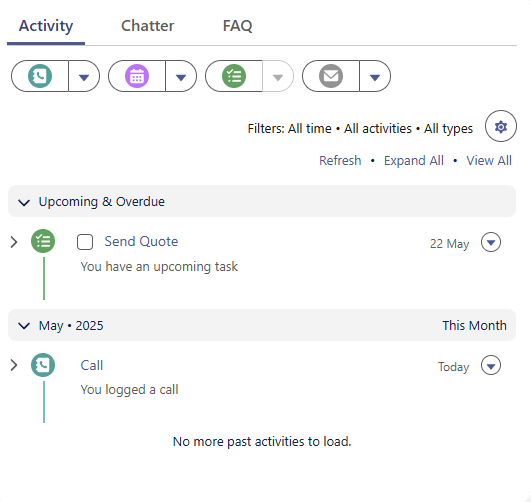
Activities are Visible on Every Object within Salesforce. To see all Activity for the entire Account (Across all Contacts) Head to the Account Page.
Activity Types
Meetings
Meetings are calendar-based events typically tied to opportunities or stakeholder engagement.
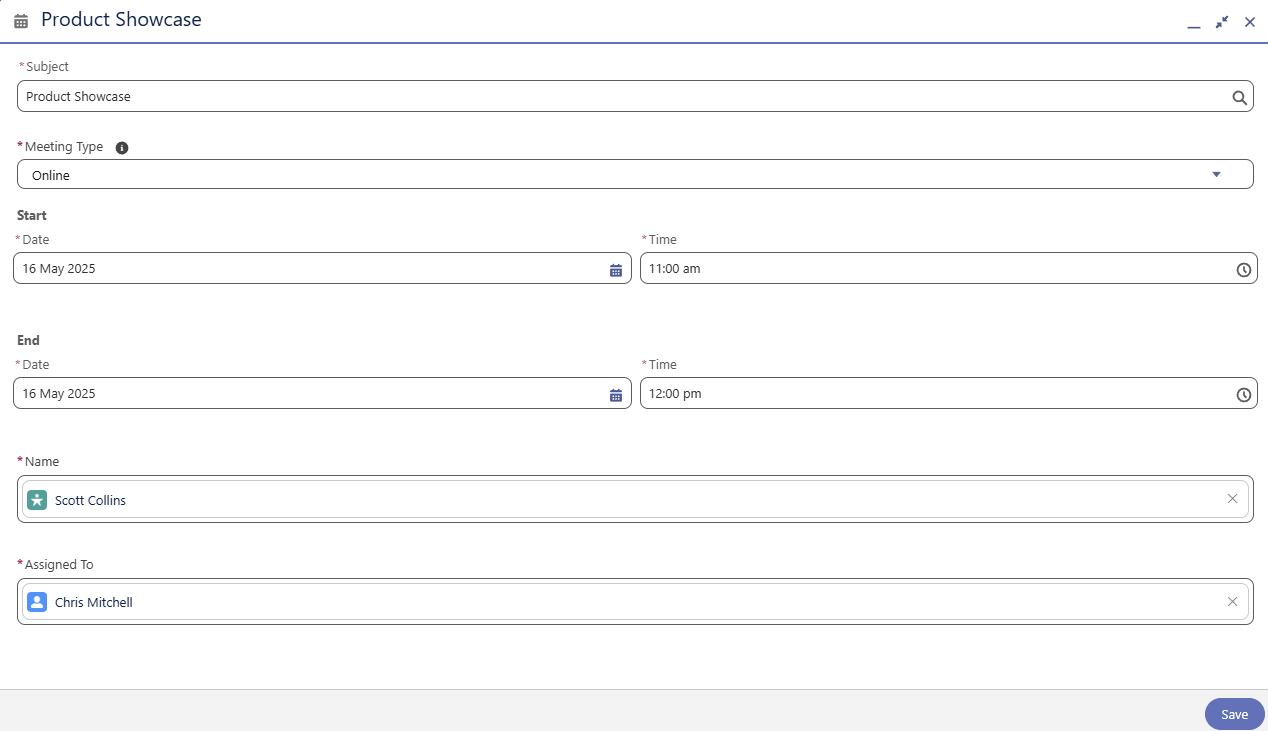
Use meetings to capture structured interactions that include a defined time slot and clear participant ownership. These events appear in the Today’s Events panel and To Do List.

Want to send your Meetings from Outlook/Gmail to Salesforce, See our Guide Here.
Tasks
Tasks represent specific actions that need to be completed by a certain date — such as follow-ups, document sends, or proposal reviews.
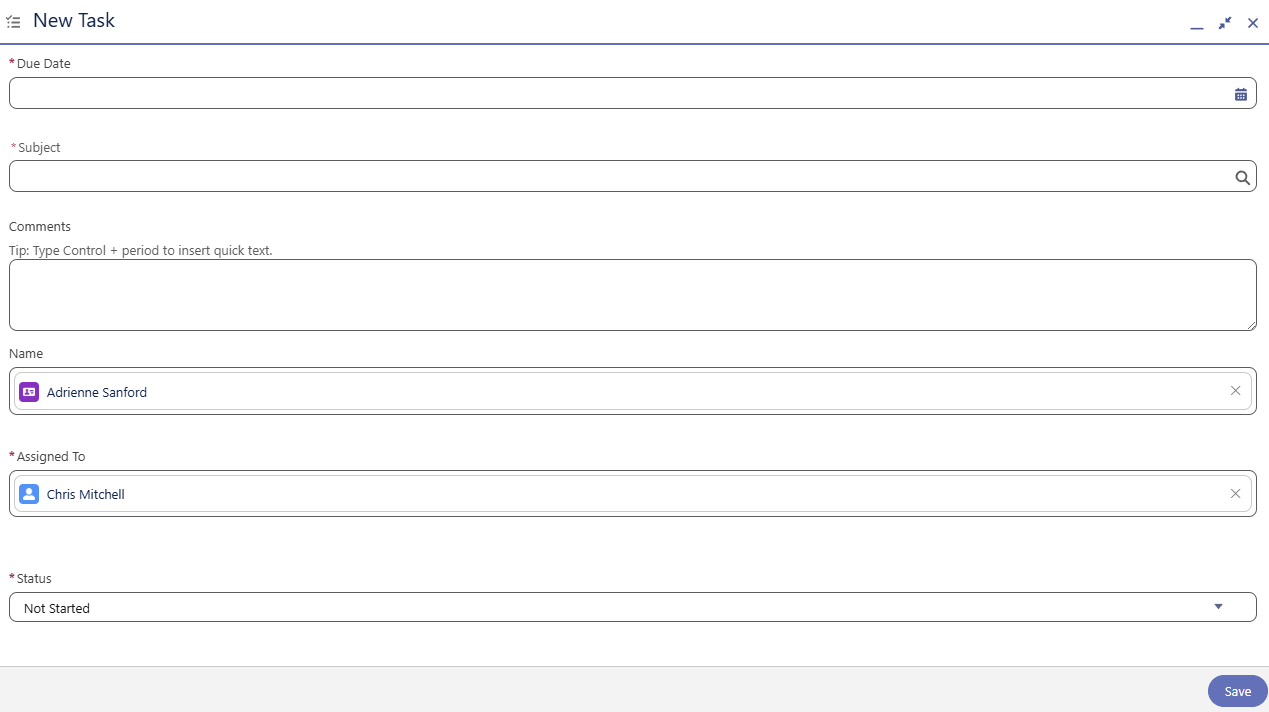
Tasks help drive accountability and personal productivity, and are visible in both the Today’s Tasks widget and To Do List. Use them for non-time-blocked responsibilities.
Log Calls
Used to document phone interactions with prospects or clients.
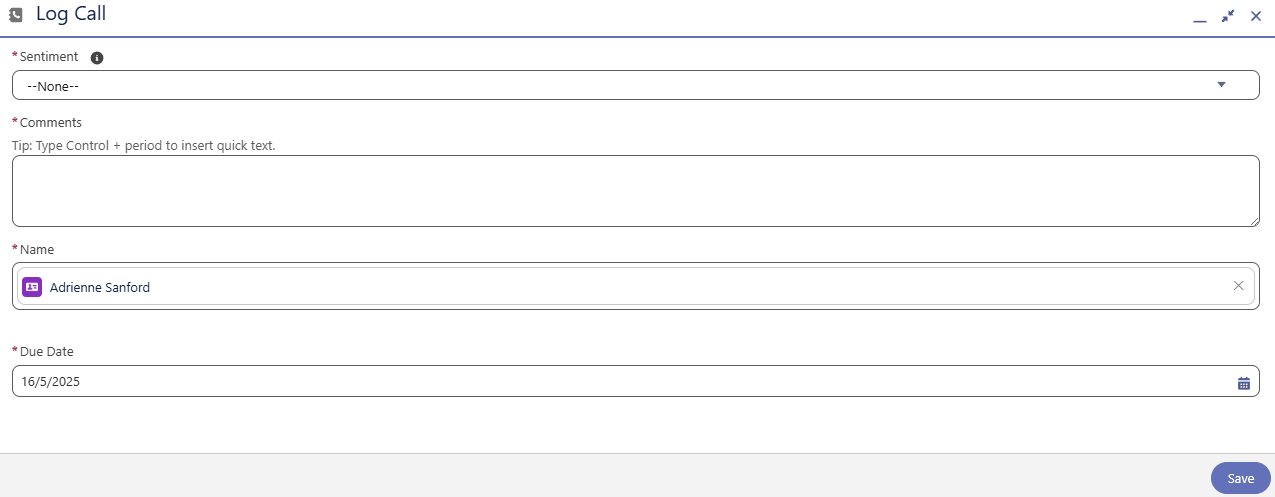
Logging calls ensures a complete activity history and supports relationship scoring. Sentiment tracking can also inform dashboards and pipeline risk views.
LinkedIn Messages
Allows reps to log outreach efforts on LinkedIn, supporting omnichannel engagement visibility.
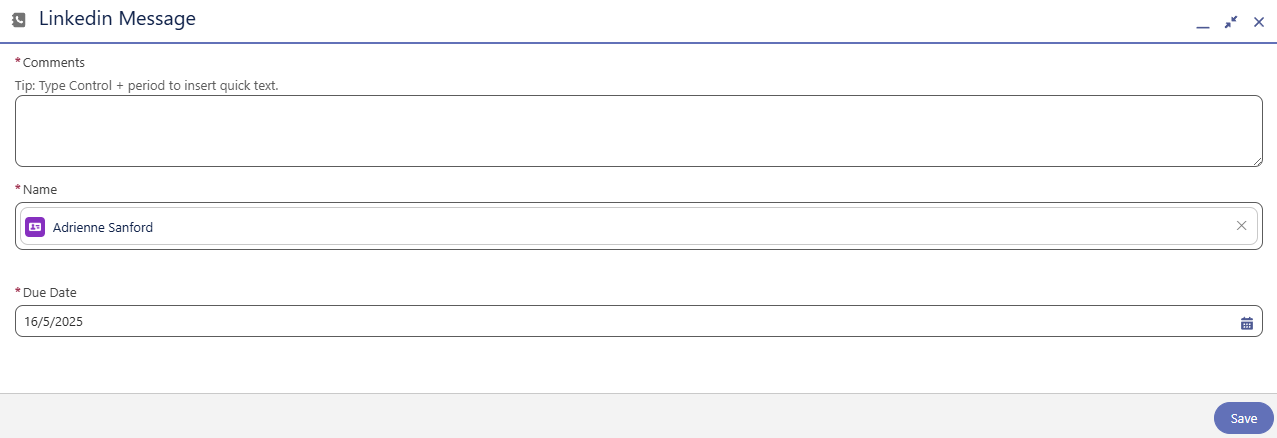
These help sales teams track social touchpoints alongside CRM activity, giving managers visibility into engagement quality and cadence.
Emails
Compose and send trackable emails directly from Salesforce, fully integrated with CRM data.
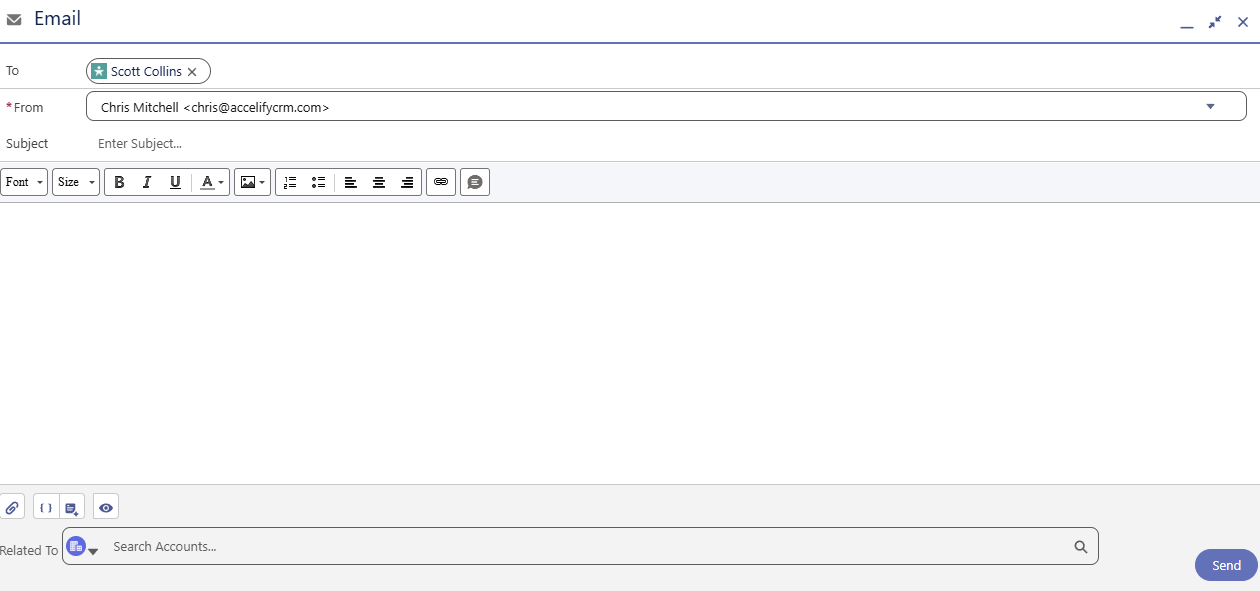
Emails sent from Salesforce are logged automatically and associated with the relevant contact or account.
Want to send your emails from Outlook/Gmail to Salesforce, See our Guide Here.
Activity Visibility in Seller Home & Navigation
Home Dashboard
Activities that are due today or logged for today appear in:
Today’s Events — includes scheduled Meetings
Today’s Tasks — includes Tasks, Logged Calls, and LinkedIn Messages
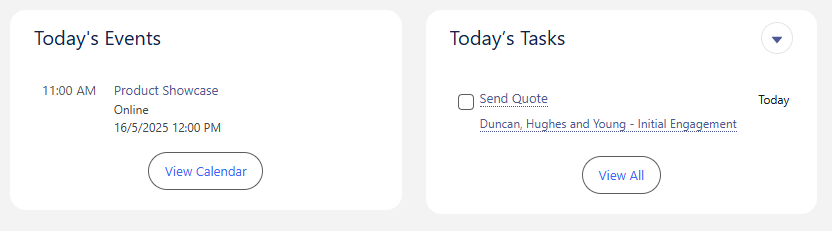
This ensures reps begin each day with a focused, action-oriented view of their commitments.
To Do List Navigation Panel
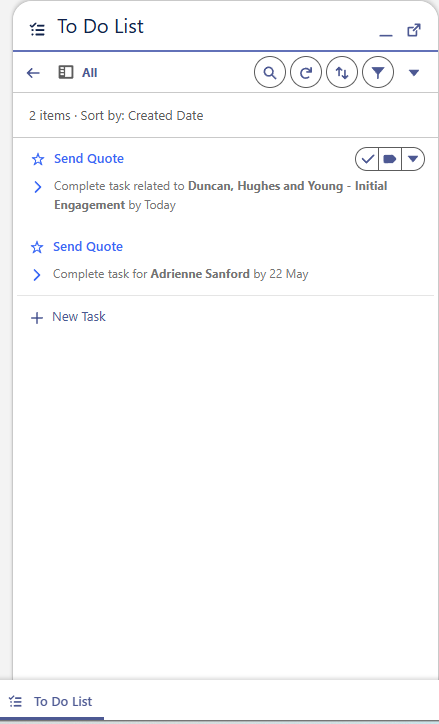
Accessible from the global navigation, the To Do List provides a consolidated view of all open and scheduled activities.Reps can use it to:
Organise tasks by due date or priority
Launch new tasks directly
Update statuses in-line
Accelify Sales Hub Field Glossary
The table below outlines the key fields used across Salesforce Activities (Tasks and Events) in the Sales Hub Accelerator. These fields apply to logged calls, meetings, to-dos, LinkedIn touches, and emails. Most fields are native to Salesforce but are grouped and labelled consistently across all activity types to support clarity and reporting.
Field Label | Type | Description |
|---|---|---|
Subject | Text | A required title for the activity; used as the primary label |
Due Date | Date | Task due date or call log date |
Start Date / Time | DateTime | For Events only — defines meeting start time |
End Date / Time | DateTime | For Events only — defines meeting end time |
Status | Picklist | Tracks task progress (e.g. Not Started, In Progress, Completed) |
Comments | Long Text | Freeform description or call/meeting notes |
Assigned To | Lookup(User) | Owner of the activity; drives task queues and reporting |
Contact / Name | Lookup(Contact/Lead) | The person the activity is related to |
Related To (What) | Lookup(Account / Opportunity / Case) | Record the activity is linked to |
Type | Picklist | Activity category (e.g. Call, Email, Meeting, LinkedIn Message) |
Meeting Type | Picklist | (Events only) Specifies type of meeting (In-Person, Online) |
Meeting Status | Picklist | Captures the outcome of a meeting. Values include: Scheduled, Cancelled/No-Show, Attended. This helps track attendance and follow-up needs. |
Sentiment | Picklist | (Calls only) Indicates tone of the call (Positive, Neutral, Negative) |
Channel | Picklist | Used to differentiate Email, LinkedIn, or Call manually if Type is repurposed |
Is Recurring | Checkbox | Indicates whether the event is part of a recurring meeting series |
Priority | Picklist | Optional ranking for tasks (High, Normal, Low) |
Email Body | Rich Text | Content of the email sent (auto-logged if using Email Composer) |
Created By / Date | System | Audit fields showing activity creator and timestamp |
Last Modified By / Date | System | System fields showing last edit and editor |
See the Data Dictionary for the full API Guide
Summary
Activity tracking in the Sales Hub Accelerator is intentionally designed to be lightweight, intuitive, and seamlessly integrated into daily workflows. Whether you’re setting up a meeting, following up on a proposal, logging a call, or engaging on LinkedIn — each activity type feeds directly into your task list, improves visibility, and helps drive meaningful progress across your pipeline.