
Contacts
Applies To: Essentials ✅ | Growth ✅ | Pro ✅
Overview
The Contact object in the Sales Hub Accelerator serves as the core source of truth for all stakeholders linked to Accounts and Opportunities. It is optimised for post-lead-conversion management, relationship health tracking, stakeholder profiling, and account-based visibility.
Used By: Account Managers, Customer Success Managers, BDMs, Sales Executives
Primary Purpose: Maintain relationship context, qualify decision makers, and support upsell/conversion activities
Guided Walkthrough
https://www.loom.com/share/77b2c62acdd946bfbc3bdacf3946cedcContact Page Highlights
The Contact Record Page in the Sales Hub Accelerator is structured to surface relationship strength, role insights, and data hygiene at a glance. It helps AMs, BDMs, and support users quickly assess a contact’s strategic value and communication preferences.
Contact Highlight Panel
This summary panel displays critical contact-level insights using visual indicators:
Contact Persona: Combines Role and Seniority Level to display a stakeholder type (e.g. “Decision Maker – Manager”) using an emoji tag.
Relationship Strength Indicator: Visual signal (✅ Strong, 🟡 Neutral, 🔴 Weak) based on known engagement level and data richness.
Communication Preference Indicator: Highlights the preferred channel for outreach (e.g. Phone, Email, LinkedIn), plus opt-out visibility.
Contact Data Completeness: Shows percentage-based score and visual status (✅ Complete, 🟡 Partial, 🔴 Incomplete).

This panel ensures users can interpret communication risk, engagement strength, and stakeholder role at a glance—helping teams prioritise action without needing to explore related lists or manually assess contact value.
Contact Details
This section contains all necessary contact information for day-to-day outreach:
Email / Mobile
LinkedIn – Shortcut for social validation and pre-call research
Communication Preference – Custom picklist field to guide reps on optimal engagement methods
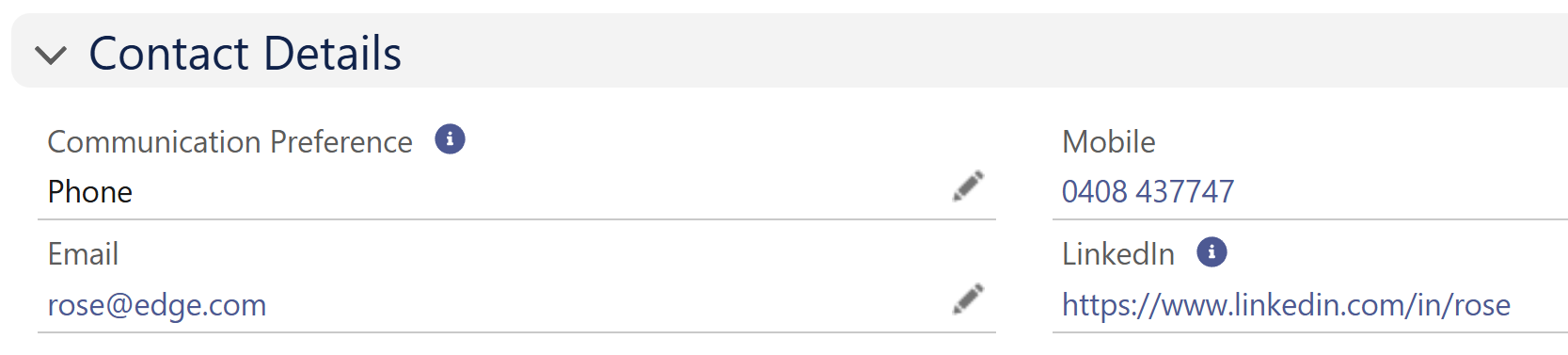
Understanding a Contact’s communication preferences ensures outreach is aligned and reduces the risk of opt-outs or unresponsiveness. These fields also support dynamic filtering across dashboards and campaigns.
Profiling
The profiling section captures who this contact is within their organisation:
Department – Optional field used for segmentation (e.g. Sales, Finance, Operations)
Role – Stakeholder role in buying cycle (e.g. Decision Maker, Blocker, Champion)
Seniority Level – Organisational rank (e.g. Manager, Director, Executive)
Relationship Strength – Assessed and updated by AMs to reflect subjective or observed trust and communication level
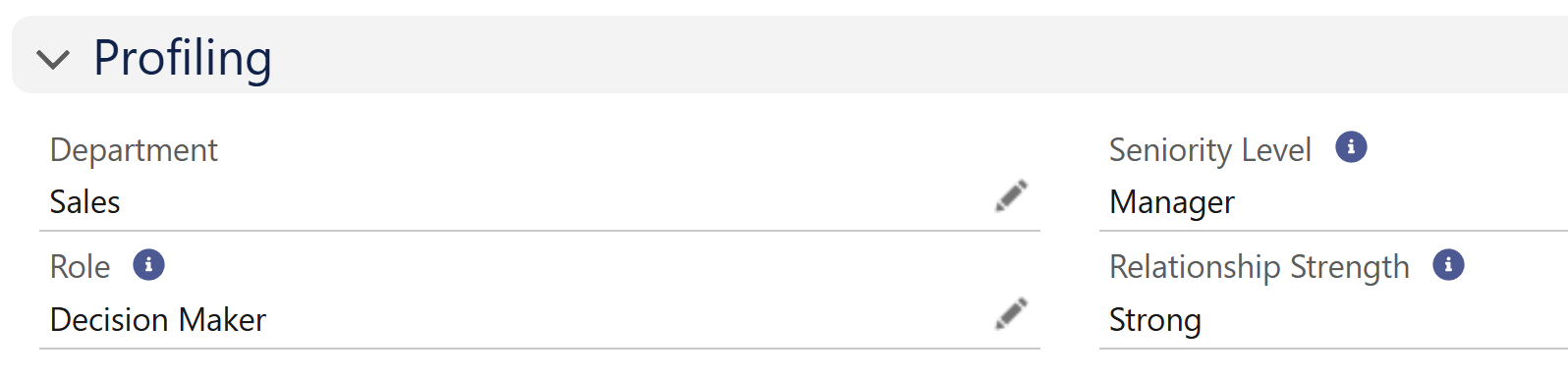
These profiling fields directly inform the Contact Persona and Relationship Strength logic in the highlight panel, ensuring each stakeholder is accurately classified for prioritisation, reporting, and relationship planning.
Data Rules (Validation Rules)
Validation Rule | Purpose |
|---|---|
Contact Details Mandatory | Prevents saving a Contact without at least a Email OR Phone OR LinkedIn. |
Do Not Call – Clear Mobile | Prevents saving if ‘Do Not Call’ is selected but mobile is populated |
Do Not Email – Clear Email | Prevents saving if ‘Email Opt Out’ is checked but email is still filled |
These rules enforce compliance and prevent accidental outreach to opted-out or suppressed contacts.
List Views
The Sales Hub comes with 14 ready-to-use List Views that help teams segment contacts, focus relationship-building, and avoid gaps in coverage.
List View Name | Description |
|---|---|
All - Contacts | Full contact database |
All - Contacts Needing Cleanup | Contacts missing key fields (e.g. persona, relationship) |
All - Contacts with Weak Relationships | Contacts marked with ❌ Weak relationship strength |
All - Decision Makers | Contacts with role marked “Decision Maker” |
All - Key Relationships | Strong relationship contacts (priority visibility for AMs and Execs) |
All - Opted-Out Contacts | Contacts with Email or Phone opt-out marked |
All - Strategic Account Contacts | Contacts associated with flagged Strategic Accounts |
My - Contacts | Contacts owned by the current user |
My - Contacts Needing Cleanup | Personal contact assignments missing persona or communication details |
My - Contacts with Weak Relationships | User-owned contacts rated Weak |
My - Decision Makers | User-owned Decision Makers |
My - Key Relationships | User-owned Strong relationship contacts |
My - Opted-Out Contacts | User-owned contacts with comms restrictions |
My - Strategic Account Contacts | Contacts tied to Strategic Accounts in the user’s territory |
Accelify Sales Hub Field Glossary
The following table outlines all custom and surfaced standard fields used within the Contact object for the Sales Hub Accelerator. This serves as a reference for admins, support staff, and documentation users to understand field intent and purpose.
Field Label | Type | Description |
|---|---|---|
Contact Persona | Formula (Text) | Combines Role + Seniority for stakeholder icon display |
Communication Preference | Picklist | Preferred communication channel (Phone, Email, LinkedIn, SMS) |
Relationship Strength | Picklist | Indicates subjective or process-driven strength of the relationship with this contact (Strong / Neutral / Weak) |
URL | Link to contact’s public LinkedIn profile | |
Role | Picklist | Stakeholder role in purchase process |
Seniority Level | Picklist | Manager / Director / Executive / Staff |
Department | Text (optional) | Describes business unit or function |
Contact Data Completeness | Formula (Text) | Shows ✅, 🟡, or 🔴 based on field population logic |
Name | Compound | First, Last, and Salutation |
Primary email address | ||
Mobile | Phone | Primary mobile number |
Title | Text | Job title |
Mailing Address | Address Compound | Contact’s physical mailing address |
Do Not Call | Checkbox | Suppresses phone communication |
Email Opt Out | Checkbox | Suppresses email communication |
Contact Owner | Lookup(User) | Assigned rep or CSM |
Account Name | Lookup(Account) | Associated Account |
Created By / Date | Lookup & Datetime | Audit trail |
Last Modified By / Date | Lookup & Datetime | Audit trail |

See the Data Dictionary for the full API Guide
Summary
The Contact object in the Sales Hub Accelerator is designed not just for data capture, but for strategic relationship management. It aligns tightly to sales and account management workflows, provides immediate visual cues, and enables reporting and prioritisation through persona and engagement strength logic.
Version: 1.0.0
Updated: 16 May 2025