
Security Model
Applies To: Essentials ✅ | Growth ✅ | Pro ✅
Overview
The Sales Hub Accelerator is built on a secure, scalable Salesforce foundation designed to balance visibility, control, and usability. The security model follows industry best practices while being easy to manage and adapt as your team grows.
Access Levels
Sales Hub users are grouped into three core access levels:
Role | Can View | Can Create/Edit | Can Delete | System Access |
|---|---|---|---|---|
Sales Representatives | Their own records, shared customer data | Customers, opportunities, activities | ❌ | ❌ |
Sales Managers | Their team’s records and dashboards | Full access to team sales data | ✅ (Limited) | ❌ |
System Administrators | All data and settings | All records and configuration | ✅ | ✅ Full Setup & Admin Access |
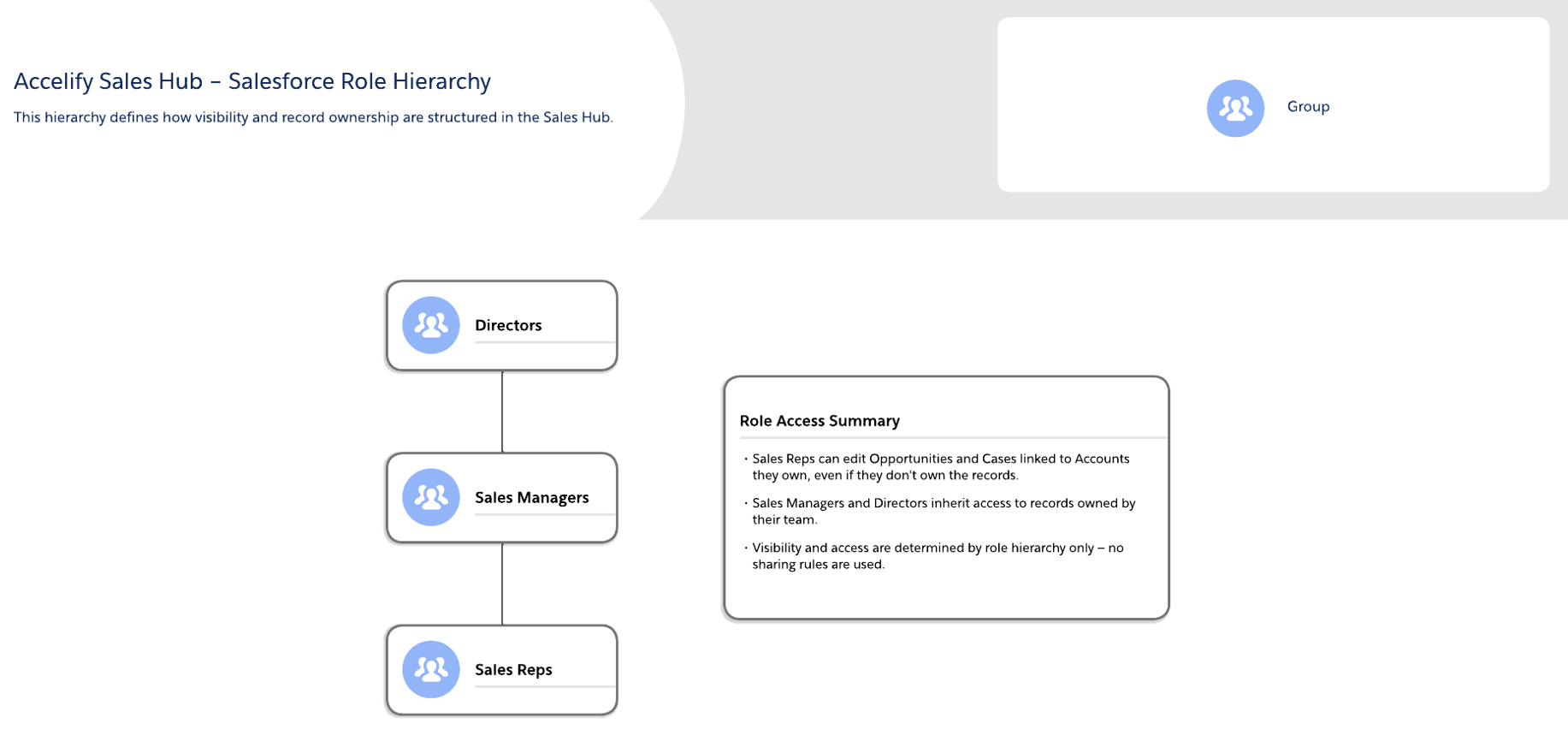
Role-based access ensures users only see and manage what’s relevant to them — while managers and admins maintain full oversight.
Visibility by Record Type
Record Type | Who Can See It | Why |
|---|---|---|
Accounts | All users | Enables cross-team customer visibility |
Contacts | Inherits from Account | Ensures visibility stays aligned to Account access |
Opportunities | Owner and their manager | Maintains deal integrity and limits cross-pipeline confusion |
Leads | Owner and their manager | Prevents lead poaching or overlap |
Products | All users (Read Only) | Allows consistent product catalog access for quoting or referencing |
Contracts | Managers and Admins | Protects sensitive commercial and legal terms |
Orders | Mirrors Opportunity or Account access | Keeps quote-to-cash aligned to sales visibility |
Activities | Inherits from related record | Enables collaborative activity tracking across deals and accounts |
Permission Sets & Granting Additional Access
Core CRM Access
Three core permission sets represent all supported access roles and control what each role can do in the CRM.
Permission Set Name | Assigned Role | Access Granted |
|---|---|---|
Accelify Sales Rep | Sales Representatives | Read, Create, and Update access to Leads, Accounts, Contacts, and Opportunities. View-only access to Products. No delete access. |
Accelify Sales Manager | Sales Managers | Full CRUD access to Leads, Accounts, Contacts, Opportunities, and Contracts. Includes access to Reports and Dashboards. |
Accelify Admin | Internal Admins | Full access to all standard and custom objects, including Setup, User Management, Permission Sets, and Metadata Configuration. |
Users are granted one permission set aligned to their role. These are not layered or combined.
Additional Access
These permission sets expand out access to a given Role by assigning it to them.
Permission Set Name | Assigned Role | Access Granted |
|---|---|---|
Accelify Products and Pricebooks Permission Set | Any | Used to allow users to be able to manage the products and pricebooks for the Org. |
Security Best Practices
Practice | Recommendation |
|---|---|
Access Reviews | Review user access quarterly; deactivate unused users |
Passwords & MFA | Enforce strong passwords and multi-factor authentication (MFA) |
Clear Record Ownership | Ensure all records have an active, responsible owner |
Security Training | Include CRM security awareness in onboarding and annual refreshers |
Managing Access
Access requests and user changes are managed as part of your Elevate subscription:
Need | How It’s Managed |
|---|---|
New user setup | Submit via the Accelify Admin Request process |
Permission or role change | Submit via Admin Request |
Security reconfiguration | Scoped via Innovation Lab or a dedicated engagement |

For help, contact your Accelify Account Manager or submit a support ticket via the Elevate Portal.
Summary
The Sales Hub Accelerator security model delivers simplicity, control, and peace of mind. Built on Salesforce’s proven role-based architecture, it ensures that every user has the right access — no more, no less — and that your CRM data is always protected, auditable, and scalable.
Version: 1.0.0
Updated: 16 May 2025